How to Use Krea AI for Creating Custom Images Online
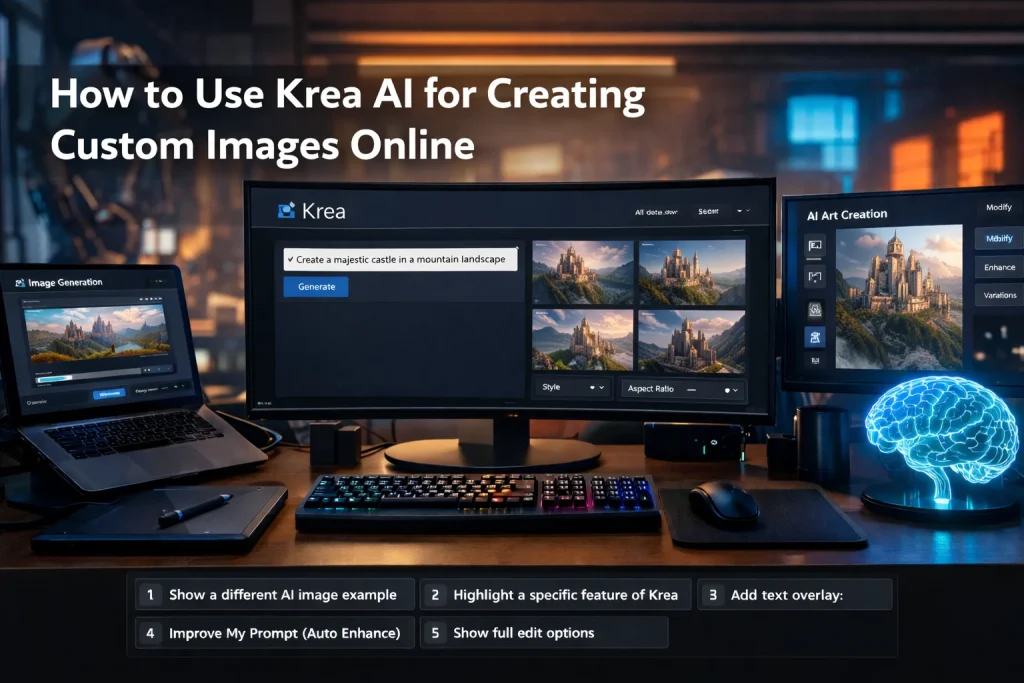
Creating custom images online can be challenging if you don’t have access to high-end design software or experience. However, with Krea AI, this task becomes incredibly easy and fast. Whether you’re a marketer, content creator, or business owner, Krea AI enables you to generate professional-looking images in just a few clicks. Here’s a step-by-step guide on how to use Krea AI for creating custom images online.
Getting Started with Krea AI
The first thing you’ll need is to visit the official Krea AI website. There’s no need for complex installations or downloads, as the platform works directly in your browser. Simply go to the website and create an account to get started.
Once you’ve signed up, you can access the platform and start using the image generation tools. The clean, easy-to-navigate interface makes it beginner-friendly. You don’t need any prior design knowledge to use Krea AI.
Step 1: Enter Your Image Prompt
The first thing you’ll do is enter a text prompt. This is where Krea AI begins its magic. You can type in a detailed description of the image you want to create. Be as specific as possible to get the best results.
For example:
- “A futuristic city at sunset with flying cars and neon lights.”
- “A relaxing beach scene with clear blue skies and a couple sitting by the shore.”
The more specific your description, the more accurately Krea AI can generate your custom image.
Step 2: Select Your Image Style
After entering your prompt, the next step is to choose the style of your image. Krea AI offers several predefined styles to give you a visual direction for your custom image. These could range from realistic, abstract, vintage, or artistic styles.
If you’re unsure about which style to choose, try experimenting with a few to see how each one influences your final image. Each style has a unique effect on the outcome, allowing you to create exactly what you need for your project.
Step 3: Generate the Image
Once you’ve entered the prompt and selected the style, it’s time to hit the generate button. Krea AI uses advanced algorithms to process your text prompt and convert it into a visual representation. This process takes only a few seconds, depending on the complexity of your request.
You’ll then be able to preview the image right on your screen. If it’s close to what you envisioned, you can move on to the next step. If you’d like to make some changes, you can always tweak your prompt or adjust the style.
Step 4: Fine-Tune Your Image
One of the great features of Krea AI is the ability to fine-tune the image after it’s generated. You can adjust the colors, textures, and details based on your preference. Whether you want to make the colors more vibrant, change the background, or highlight a specific object in the image, Krea AI gives you the flexibility to make those adjustments.
This fine-tuning ensures that your custom image aligns perfectly with your vision, giving you the creative freedom to craft the perfect visual.
Step 5: Download Your Custom Image
Once you’re happy with your custom image, you can simply download it. Krea AI allows you to save your generated image in multiple formats (e.g., PNG, JPEG) for easy use across various platforms. Whether you’re using it for social media posts, marketing materials, or personal projects, your image is now ready to go.
Benefits of Using Krea AI for Creating Custom Images
- Speed and Efficiency: You don’t need to spend hours designing or hiring professionals. Krea AI helps you generate quality images in seconds.
- No Design Skills Needed: Even if you’re a beginner or have no experience with design tools, you can create professional-looking images easily.
- Endless Customization: The ability to adjust the image and fine-tune details makes Krea AI a versatile tool for any creative project.
- Affordable: For small businesses or freelancers, Krea AI is a cost-effective alternative to traditional design software or hiring designers.
Conclusion
Using Krea AI to create custom images online is a straightforward, fast, and efficient process. From entering a simple text prompt to fine-tuning your image, the entire experience is designed to be as easy as possible, even for beginners. Whether you’re working on social media content, promotional materials, or personal projects, Krea AI can help you generate professional-quality visuals without needing advanced design tools.
If you need to create custom images quickly and efficiently, Krea AI is an excellent solution that combines ease of use with powerful features.